
BetGiga Casino in Your Pocket
We built BetGiga Casino to run in your phone's browser, so you can spin Gates of Olympus on the bus or join an Evolution blackjack table from the couch. Quick tip: add the site to your home screen and it opens like a regular app, with no download and no storage space used.
BetGiga Casino App: Your Pocket Guide to Getting Started
Slots, live tables and sports betting, all from your phone in AUD.
G'day and welcome aboard. We are BetGiga Casino, and since 2025 we've been building a mobile experience that feels as easy as a morning stroll along the Esplanade. Our app puts the whole lobby in your pocket: slots, live dealer tables and a full sportsbook, all priced in AUD so you never have to do currency maths on the fly.
First stop on the tour is the games. You'll find titles from Evolution, Pragmatic Play, NetEnt and Push Gaming, with crowd favourites like Gates of Olympus, Book of Dead and Starburst loading quickly on mobile data. Quick tip from me: try a few spins in demo mode first so you get a feel for a slot's volatility before you put real money in.
Banking is crypto-first. You can deposit and withdraw with Bitcoin, Ethereum, Tether, Litecoin, Dogecoin or TRON, which keeps transfers moving fast. New players can claim a 100% welcome bonus plus 100 free spins, so check the wagering terms before you opt in.
Stuck somewhere along the way? Live chat answers from inside the app, and email works for anything that needs a paper trail.
Mobile Site vs App: Which One Suits You
A quick side-by-side so you can choose the way you play on your phone.
Think of this as two tracks to the same lookout. Our mobile site runs straight in Safari or Chrome with nothing to download, so it's handy if your phone is short on storage. The app version sits on your home screen and opens in one tap, which saves a few seconds every time you come back for a round of Gates of Olympus or a live table from Evolution.
Both give you the same account, the same AUD balance and the same welcome offer of a 100% match plus 100 free spins. Crypto deposits in Bitcoin, Ethereum, Tether, Litecoin, Dogecoin or TRON work the same way on either. My tip: try the browser first. If you end up checking in most evenings, add the app and turn on notifications so you hear about new promos.
| Feature | Mobile site | App |
|---|---|---|
| Installation | None, open in any browser | One-time install to home screen |
| Storage used | Almost zero | A small amount |
| Launch speed | Load the page each visit | One tap from home screen |
| Game library | Full: Pragmatic Play, NetEnt, Push Gaming, Evolution | Same full library |
| Payments | All six cryptocurrencies | All six cryptocurrencies |
| Bonuses | 100% match + 100 free spins | 100% match + 100 free spins |
| Notifications | Not available | Promo and bonus alerts |
| Support | Live chat and email | Live chat and email |
| Sportsbook | Full access | Full access |
How to Download the BetGiga Casino App on Android
Get the APK straight from our site and start playing in a few minutes.
Our Android app doesn't live on Google Play, so you get it directly from the BetGiga Casino website. It's a small APK file that installs fast and runs well on most phones from Android 8.0 up. Once it's on your phone you get the full lobby: Gates of Olympus, Book of Dead, Starburst and live tables from Evolution, plus the sportsbook, all in one place.
Here's a tip from me: switch to Wi-Fi before you download. The file is light, but a steady connection stops the install from cutting out halfway. Clear a little storage space too, around 100 MB is plenty.
After you log in, crypto deposits work the same as on desktop. Pick Bitcoin, Ethereum, Tether, Litecoin, Dogecoin or TRON, copy the wallet address and your AUD balance usually updates once the network confirms the payment. New players can also claim the 100% welcome bonus with 100 free spins right inside the app.
Go to BetGiga Casino in Chrome or any mobile browser and tap the Android download button in the menu.
When Android asks, let your browser install apps from this source. You'll find it under Settings, then Security or Apps.
Open the downloaded file from your notifications or Downloads folder and tap Install. It usually finishes in under a minute.
Launch the app, sign in to your account or register a new one, then turn on notifications if you want bonus alerts.
Pick a crypto method in the cashier, send your payment and start playing. Our support team is on live chat if anything goes wrong.
Installing BetGiga Casino on iOS
Put our casino on your home screen in under a minute, no App Store needed.
We don't have a native iOS app in the App Store yet. Honestly, you won't miss it. Our web app runs in Safari and sits on your home screen like any other icon, and it opens Gates of Olympus, Book of Dead or a live Evolution table without a download eating up your storage.
Here's a quick tip before you start: use Safari, not Chrome. The "Add to Home Screen" option works best there on iOS, and it keeps you logged in between sessions. You'll need iOS 15 or newer. Most iPhones from the last six years are fine.
Go to the BetGiga Casino website and log in, or sign up if you're new. The 100% bonus with 100 free spins is waiting on your first deposit.
It's the square with the arrow pointing up, at the bottom of the screen on iPhone or top right on iPad.
Scroll down the menu a little. Rename the shortcut if you like, then tap Add.
Tap the new BetGiga icon. It opens full screen with no browser bars, so you get more room for the reels.
Deposit in Bitcoin, Ethereum, Tether, Litecoin, Dogecoin or TRON. If you get stuck, live chat is one tap away.
Full App Features at BetGiga Casino
Everything on the desktop site, packed into your phone, plus a few shortcuts we think you'll like.
Every slot and table from the desktop lobby is in the app. That includes Gates of Olympus from Pragmatic Play, Book of Dead and NetEnt's Starburst, plus Push Gaming titles. Quick tip: star your favourites so they sit on your home screen.
Evolution streams blackjack, roulette and game shows straight to your screen. Turn your phone sideways for the full table view. The bet buttons get bigger that way too.
You can switch from slots to sports betting without logging out. Pre-match and live markets share one balance, so a win on the reels can go straight onto a match.
Top up with Bitcoin, Ethereum, Tether, Litecoin, Dogecoin or TRON. Scan the wallet QR code with your phone and you skip copying long addresses by hand.
New players can claim the 100% deposit match and 100 free spins right in the app. Check the wagering terms in the promo tab before you spin.
Tap the chat bubble and you'll reach a real agent. For anything that needs screenshots or documents, email works better. Write down your player ID before you start, it speeds things up.
BetGiga Casino App Screenshots
A quick look at the screens you'll use most, from the lobby to the cashier.
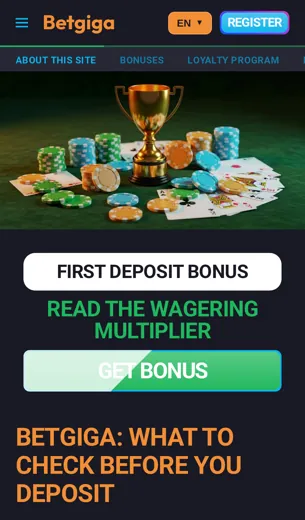
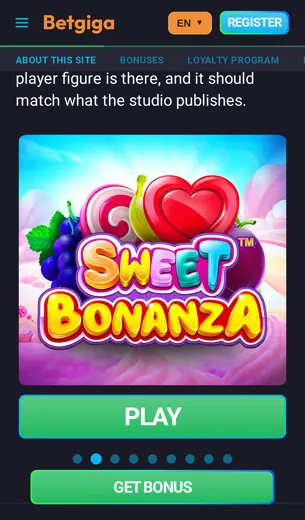
Before you install anything, it helps to see what you're getting. These are the six screens you'll use most on a normal night. Our lobby opens with the slots players ask for most, like Gates of Olympus, Book of Dead and Starburst, so you don't have to scroll through hundreds of titles to find them. Games from Pragmatic Play, NetEnt and Push Gaming load in portrait mode, and you spin with your thumb.
The live casino tab runs Evolution tables: blackjack, roulette and game shows. One tip: turn your phone sideways at a live table and the dealer stream fills the screen. The sportsbook has its own tab, and you can add selections to the bet slip without leaving the casino side.
The cashier is where most people slow down. It lists Bitcoin, Ethereum, Tether, Litecoin, Dogecoin and TRON, all in AUD, with the wallet address and QR code on one screen. Copy the address, check the network matches, and you're done. The welcome offer of 100% plus 100 free spins sits in the promotions area, and live chat is one tap away from every screen.
First Deposit Bonus on the BetGiga App
A 100% match plus 100 free spins, and how to claim it from your phone.
Here's the short version before we head off: your first deposit through the BetGiga Casino app gets a 100% match, plus 100 free spins on top. Put in 200 AUD and you play with 400 AUD. Simple as that.
We keep the funding side crypto-friendly, so you can top up with Bitcoin, Ethereum, Tether, Litecoin, Dogecoin or TRON. A small tip from me: Tether and TRON usually land fastest and don't swing in value while the transfer clears, so the amount you meant to send is the amount the match is based on.
The free spins are a good excuse to try the slots people keep coming back to. Gates of Olympus from Pragmatic Play is a crowd favourite, and Book of Dead suits anyone who likes a bit of drama on each spin. Check the bonus terms in your account for wagering and game rules before you start, so nothing catches you out halfway through.
BetGiga App FAQ
The questions we hear most often about playing on your phone, answered briefly.
Can I play BetGiga Casino on my phone?
Yes. The full site runs in your mobile browser, so slots, live tables and the sportsbook all work on a phone.
Do I need a separate account for mobile?
No. Use the same login on desktop and mobile. Your balance and bonus progress carry over.
Which games are popular on mobile?
Gates of Olympus, Book of Dead and Starburst are the ones players open most. All three load quickly, even on a weaker connection.
Which providers can I find in the app?
Evolution, Pragmatic Play, NetEnt and Push Gaming. Evolution runs the live dealer tables.
Is there a welcome bonus for mobile players?
Yes, it's the same offer as on desktop: a 100% deposit match plus 100 free spins. Read the wagering terms before you claim it.
How do I deposit from my phone?
We accept Bitcoin, Ethereum, Tether, Litecoin, Dogecoin and TRON. Quick tip: copy the wallet address instead of typing it.
Can I bet on sports in the app?
Yes. The sportsbook sits next to the casino, so you can place a bet between spins without logging in again.
What currency is shown?
Balances are displayed in AUD, so you always know what you're spending.
How do I reach support on mobile?
Live chat is the quickest option and opens right on the page. For longer questions, use email.
Is the casino licensed?
Yes. BetGiga operates under a licence from the Curacao Gaming Control Board. You'll find the full details in the licence section further down.
Will the app drain my data?
Slots use very little data. Live dealer streams use the most, so connect to Wi-Fi for longer sessions.